
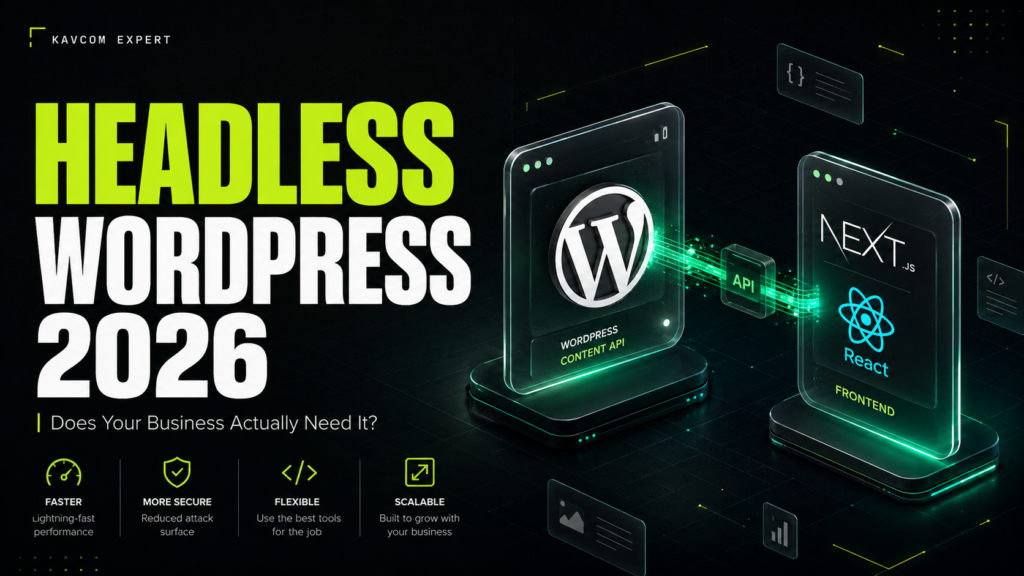
You have probably heard the term thrown around in a sales call or a tech article by now. Headless WordPress. It sounds impressive, slightly futuristic, and expensive. And in 2026, it is one of the biggest structural shifts happening in the WordPress ecosystem.
But here is the question nobody answers honestly: does your business actually need it, or is it just another buzzword agencies use to inflate project quotes?
In this complete guide, we will break down what headless WordPress really is, why so many companies are moving toward it in 2026, what it costs, where it fails, and a simple framework to decide whether it makes sense for your website. No jargon walls. No hype. Just what you need to make the right call.
In this blogpost
What Is Headless WordPress? (Plain English Version)
A traditional WordPress site does two jobs at once. It stores and manages your content (the back end), and it displays that content to visitors using a theme (the front end). Everything lives in one system.
Headless WordPress separates those two jobs.
WordPress stays in the background purely as a content management system. Your team still logs in, writes posts, uploads images, and manages pages exactly like before. But the front end, the part your visitors actually see, is built separately using a modern JavaScript framework like React, Next.js, Vue, or Nuxt. The two sides talk to each other through an API, usually the WordPress REST API or WPGraphQL.
Think of it like a restaurant. In a traditional setup, the kitchen and the dining room are in the same building, designed together, and stuck with each other. In a headless setup, the kitchen (WordPress) prepares everything, and the food can be served in any dining room you want: a website, a mobile app, a smart display, or all three at once.
That “serve anywhere” ability is why the model is often called API-first or content-first architecture.
Why Headless WordPress Is Trending in 2026
WordPress still powers roughly 43 percent of all websites, which makes it the most dominant CMS on the internet by a wide margin. But the way businesses use it is changing fast.
The biggest structural change in the WordPress market right now is the move toward headless and hybrid architectures, where WordPress runs quietly as the content engine while the public-facing site is built with React, Next.js, Vue, or Nuxt. Several forces are driving this shift:
1. Speed expectations have changed
Google’s Core Web Vitals are now a baseline ranking factor, and user patience keeps shrinking. Headless front ends built with Next.js can pre-render pages, serve them from a global CDN, and load in a fraction of the time a plugin-heavy WordPress theme takes. For businesses where every 100 milliseconds affects conversions, that difference is real money.
2. AI search rewards clean, structured content
This is the part most guides miss. Answer Engine Optimization (AEO) and Generative Engine Optimization (GEO) are now part of every serious content strategy. AI systems like ChatGPT, Perplexity, and Google’s AI Overviews pull answers from sites with fast load times, clean markup, and well-structured data. A headless architecture gives developers full control over the HTML output, schema markup, and page structure, with none of the theme bloat that clutters traditional builds.
3. Content needs to live in more places
Businesses in 2026 rarely publish to just one website. The same content might need to appear on a marketing site, a mobile app, an email platform, and a client portal. Headless WordPress lets you write once and publish everywhere through the API, instead of copying and pasting between systems.
4. Security teams like the separation
In a headless setup, your WordPress admin can be hidden away on a private domain that the public never touches. The visitor-facing site is often just static or server-rendered files with no direct database connection. That dramatically shrinks the attack surface that bots and hackers usually probe on standard WordPress installs.
Headless WordPress vs Traditional WordPress: The Honest Comparison
| Factor | Traditional WordPress | Headless WordPress |
|---|---|---|
| Setup cost | Low to moderate | High (custom front end development) |
| Page speed | Good with optimization | Excellent by default |
| Plugin ecosystem | Full access to 60,000+ plugins | Many plugins will not work on the front end |
| Content editing | Visual, what you see is what you get | Editing works, but live previews need extra setup |
| Maintenance | One system to maintain | Two systems to maintain |
| Security | Needs hardening | Smaller attack surface by design |
| Omnichannel publishing | Limited | Built for it |
| Best for | Most small and mid-sized businesses | High-traffic, multi-platform, performance-critical brands |
Notice something? Neither column wins outright. That is exactly why the “does my business need it” question matters more than the technology itself.
The Real Benefits of Going Headless (Backed by How It Works)
Blazing performance without plugin gymnastics
Traditional WordPress speed optimization is a constant battle of caching plugins, image compression, and database cleanup. A headless front end built on Next.js sidesteps most of that. Pages are pre-built or rendered at the edge, so visitors get near-instant loads even during traffic spikes.
Design freedom with zero theme limitations
Your designers are no longer boxed in by what a theme or page builder allows. Anything that can be built on the modern web can be your front end: interactive calculators, animated product tours, app-like navigation, real-time dashboards.
Future-proof content
Because your content lives independently of its presentation, redesigning your site later does not mean migrating content. You rebuild the front end, plug it into the same WordPress API, and everything flows through. Your content becomes a long-term asset instead of something trapped inside a theme.
Scalability for serious traffic
Static and edge-rendered pages can handle enormous traffic surges without your hosting bill exploding or your database melting down. For businesses running paid campaigns, product launches, or seasonal spikes, this stability is a major advantage.
The Downsides Nobody Puts in the Sales Pitch
We build both traditional and headless WordPress sites at Kavcom Expert, so here is the part most agencies conveniently skip.
It costs significantly more. A headless build requires JavaScript developers, API work, and separate hosting for the front end. Expect a project cost of two to four times a comparable traditional build, and higher ongoing maintenance since you now have two systems instead of one.
Many plugins simply stop working. Plugins that add front-end features, like page builders, form plugins, or membership displays, often break in a headless setup because there is no WordPress theme rendering the page. Every one of those features has to be rebuilt in the front-end framework.
Content previews get complicated. Your marketing team is used to clicking Preview and seeing exactly how a post will look. In a headless setup, that requires custom preview infrastructure. It is solvable, but it is extra work and extra cost.
You need ongoing developer access. With traditional WordPress, a smart non-technical person can manage a lot. With headless, front-end changes require a developer. If your team cannot support that, the architecture becomes a bottleneck instead of an advantage.
So, Does Your Business Actually Need Headless WordPress?
Here is the honest framework we use with our own clients.
You probably DO need headless WordPress if:
- Your site handles high traffic where speed directly affects revenue, such as e-commerce, media, or SaaS marketing sites
- You publish the same content across multiple platforms: web, mobile apps, digital displays, or partner portals
- Your brand demands a custom, app-like user experience that themes and page builders cannot deliver
- You have (or can afford) ongoing developer support
- Security and uptime requirements are strict, such as in finance or healthcare-adjacent industries
You probably DO NOT need headless WordPress if:
- Your site is primarily a lead-generation site for a local or professional service business
- Your team edits content frequently and relies on visual page builders
- Your budget is under roughly $10,000 for the build
- A well-optimized traditional WordPress site already loads in under two seconds and converts well
- You have no in-house or retained developer support
For most CPA firms, real estate professionals, and local service businesses we work with, a properly built traditional WordPress site with strong Core Web Vitals, clean schema, and disciplined plugin management delivers 95 percent of the benefit at a fraction of the cost. The bottleneck for those businesses is almost never architecture. It is content, conversion strategy, and visibility.
The Middle Path: Hybrid WordPress Architecture
Here is the option that is quietly winning in 2026: hybrid.
In a hybrid setup, most of your site runs as traditional WordPress, but specific high-performance sections, such as a product configurator, a booking engine, or a landing page system for paid traffic, are built headless with React or Next.js and pull content from the same WordPress back end.
You get the editing comfort of WordPress where it matters, and the raw speed of a modern front end where it pays. Many businesses that “went headless” in 2026 actually went hybrid, and for good reason. It delivers the performance wins without forcing a full rebuild or doubling the maintenance load.
How to Migrate to Headless WordPress (High-Level Roadmap)
If you have run the numbers and headless makes sense, here is what the process looks like:
- Audit your current site. List every plugin and feature, and flag which ones render on the front end. Each of those must be rebuilt or replaced.
- Choose your API layer. WPGraphQL is the popular choice for Next.js builds because it fetches exactly the data each page needs. The native REST API works well for simpler setups.
- Pick a front-end framework. Next.js (React) dominates headless WordPress builds in 2026 thanks to its rendering flexibility and hosting ecosystem. Nuxt (Vue) is a strong alternative.
- Set up hosting for both sides. WordPress stays on managed hosting, hidden from the public. The front end deploys to a platform like Vercel, Netlify, or Cloudflare.
- Rebuild SEO fundamentals. Redirects, XML sitemaps, meta handling, and schema markup all need to be reimplemented on the new front end. This step is where inexperienced teams lose rankings.
- Build preview and staging workflows so your content team can still see what they are publishing.
- Launch, monitor Core Web Vitals, and compare conversion data against your old site for at least 60 days.
Plan for 8 to 16 weeks on a typical business site, longer for e-commerce.
Frequently Asked Questions About Headless WordPress
Is headless WordPress better for SEO?
It can be, but it is not automatic. Headless sites usually load faster and produce cleaner code, both of which help rankings. But SEO features that plugins handled before, like sitemaps, meta tags, and schema, must be rebuilt correctly on the front end. A poorly executed headless build can hurt SEO badly. A well-executed one typically improves it.
How much does a headless WordPress website cost in 2026?
Most professional headless builds start around $15,000 to $25,000 for a business site and scale up from there, compared to $3,000 to $10,000 for a quality traditional build. Ongoing maintenance also runs higher because two systems need updates and monitoring.
Can I still use Elementor or other page builders with headless WordPress?
Generally no. Page builders generate front-end output that a headless architecture bypasses entirely. If your team depends on visual building, headless is usually the wrong fit, and a hybrid approach makes more sense.
Is headless WordPress more secure?
Yes, in most implementations. The WordPress admin and database can be isolated from the public internet, and the visitor-facing site has no direct database access, which removes the most commonly attacked entry points.
What is the difference between headless and hybrid WordPress?
Headless replaces the entire front end with a JavaScript framework. Hybrid keeps traditional WordPress for most pages and uses a headless front end only for specific high-performance sections. Hybrid is often the more practical choice for mid-sized businesses.
Do small businesses need headless WordPress?
Usually not. A fast, well-optimized traditional WordPress site meets the needs of most small and local businesses at a much lower cost. Headless makes sense when traffic scale, multi-platform publishing, or custom user experience genuinely demands it.
The Bottom Line
Headless WordPress is not hype. It is a real architectural shift, and in 2026 it is the right choice for a specific type of business: high-traffic, performance-critical, multi-platform, and backed by developer resources.
But it is also oversold. If someone recommends headless without asking about your traffic, your team’s workflow, and your actual business goals, they are selling technology, not solving problems.
The right question is never “is headless better?” It is “what does my business need this website to do, and what is the simplest architecture that does it exceptionally well?”
Not sure which side of the line your business falls on? We build traditional, hybrid, and fully headless WordPress sites for businesses across the US, UK, and Canada. Book a free 20-minute architecture consultation with Kavcom Expert and we will give you a straight answer, even if that answer is “you don’t need it.”