

Shopify Scripts stop working on June 30, 2026. After that date, every discount, shipping rule, and payment customization still running on a Script goes dark, and your checkout quietly falls back to standard behavior. To stay safe, you need to complete your Shopify Scripts to Functions migration: audit every active Script, map each one to a Shopify Function or a Functions-based app, rebuild the logic, test it in parallel, and switch off the old Script before the cutoff. This guide walks you through every step.
If you run a Shopify Plus store, this is the one date on your calendar you cannot afford to miss. Your Scripts have quietly powered your checkout for years. A bulk discount here, a hidden shipping option there, a payment gate that someone on your team set up long ago and probably forgot about. On July 1, 2026, any logic still living in a Script simply stops. No warning popup for your customers. No error in your face. Just full-price carts, wrong shipping options, and payment methods that were supposed to be hidden showing up again.
The good news: the fix is well understood, and you still have a path through it. Let us get your Scripts off your store and your Functions on it.
What is happening to Shopify Scripts (and when)
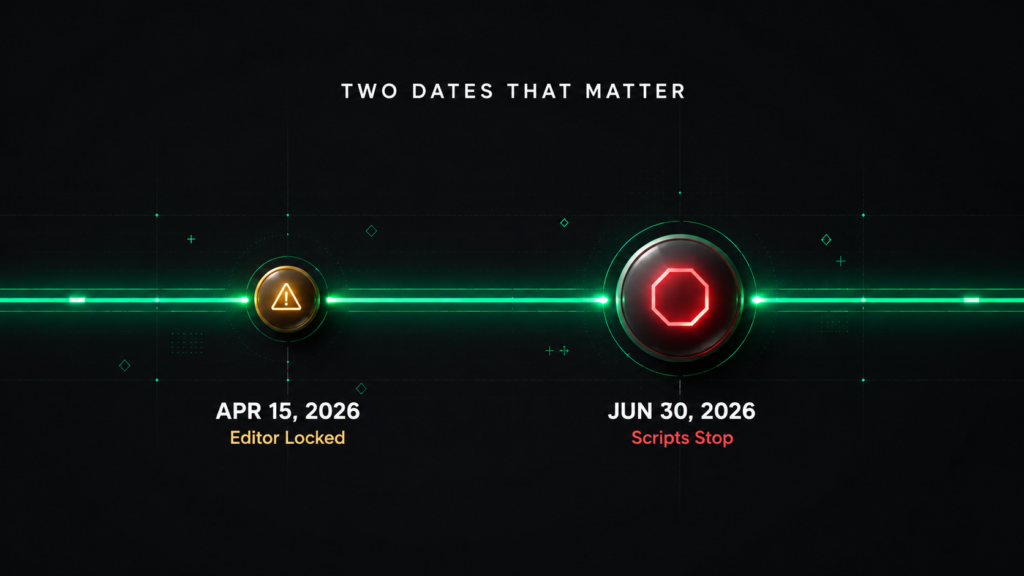
There are two dates that matter, and both are already in motion.
April 15, 2026: The Script Editor was locked. You can no longer create, edit, or publish a Script. Anything you already had keeps running, but it is frozen. If something breaks, you cannot fix it.
June 30, 2026: Scripts stop executing entirely. This is the hard wall. There is no plugin that fixes it after the fact and no further extension coming.
As of the time of writing, that final cutoff is days away, not months. So if you have been pushing this to “next sprint,” this is the sprint. Even a partial migration that protects your revenue-critical logic is far better than walking into July 1 with nothing done.
Shopify Scripts vs Shopify Functions: what actually changes
Shopify Scripts were small pieces of Ruby code that ran server side during checkout on Shopify Plus stores. They came in three flavors: line item Scripts (discounts), shipping Scripts, and payment Scripts. You wrote them inside the Script Editor app, essentially a code box in your browser.
Shopify Functions are the replacement, and they are a genuine upgrade rather than a like for like swap. A Function is a compiled WebAssembly module, written in Rust or JavaScript, that runs on Shopify’s own infrastructure. Instead of editing code in a browser, you build and deploy a Function as part of an app.
Here is the side by side.
| Shopify Scripts (old) | Shopify Functions (new) | |
|---|---|---|
| Language | Ruby | Rust or JavaScript, compiled to WebAssembly |
| Speed | Slows down under heavy load, can throttle during flash sales | Runs in under 5 milliseconds, with no cold starts |
| Availability | Shopify Plus only | All plans through apps (custom apps need Plus for some APIs) |
| How you manage it | Pasted into the Script Editor | Installed and configured as part of an app, often with no code |
| Testing and versioning | None, you edit live in a browser box | Local testing, version control, and staged rollouts |
| What it can do | Discounts, shipping, and payment tweaks | All of that, plus cart transforms, checkout validation, custom discount rejection messages, order routing, and more |
The headline difference to understand: Functions run in isolation and work with a snapshot of your cart, returning a clean set of operations. Scripts had looser, fuller control over the cart. That is why a migration is a rebuild of the logic, not a copy and paste of the code. We will come back to why that matters when you test.
Why Shopify is forcing this move (and why it is good for you)
Nobody loves a forced migration. But on the other side of this one, your store is in better shape, not worse.
Faster checkout under pressure. Functions execute in milliseconds and do not buckle during Black Friday or a flash sale, which is exactly when slow Scripts used to cause problems.
Higher conversion. A faster, smoother checkout converts better. Reducing technical friction at checkout is one of the few changes that pays for itself.
Future proof. Shopify’s entire roadmap now runs on Functions and Checkout Extensibility. Every new checkout capability Shopify ships is built for this architecture. Scripts get none of it.
Modern development. Local testing, version control, and proper rollback all become possible. No more editing Ruby in a browser and hoping it works.
Now available beyond Plus. Promotional mechanics that used to be locked behind Shopify Plus, like BOGO and tiered discounts, can now run on any plan through Functions based apps.
One distinction that trips up most stores
This is the single most expensive planning mistake we see, so read it twice.
The Shopify Scripts deprecation is a separate track from the Checkout Extensibility migration, with separate deadlines.
Checkout Extensibility is what replaced the old checkout.liquid file and the “Additional Scripts” box used for tracking pixels and Thank You page tweaks. That had its own deadline in 2025 for Plus stores, with auto upgrades already rolling out, and a later 2026 date for non Plus Thank You and Order Status pages.
Shopify Scripts, the discount, shipping, and payment logic this guide is about, run only until June 30, 2026. Confusing the two leads teams to “fix the wrong thing” and miss the deadline that actually breaks their checkout. If you are unsure which applies to you, audit both, but do not assume that an Extensibility upgrade covered your Scripts. It did not.
How to plan your Shopify Scripts to Functions migration (step by step)
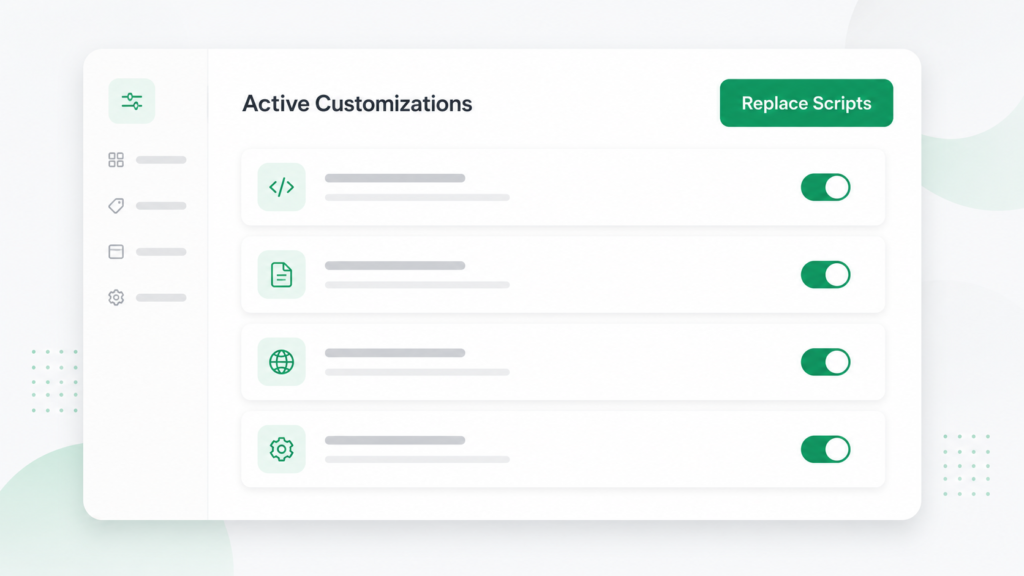
Step 1: Audit every active Script
You cannot migrate what you have not found. Go to Apps > Script Editor in your Shopify admin and open the Replace Shopify Scripts banner. Shopify generates a customizations report that lists every active Script, what it does, recommended apps that match it, and links to the right Function API.
For each Script, write down the business intent in plain English (“hide express shipping for heavy items,” “10 percent off for wholesale customers”), not just the code. Then tag each one High (revenue critical), Medium (operations or UX), or Low (rarely used). If a Script no longer serves a purpose, retire it instead of rebuilding it.
Step 2: Map each Script to a replacement path
Every Script maps to one of three replacement paths. Decide the path before you build anything.
Step 3: Choose your path
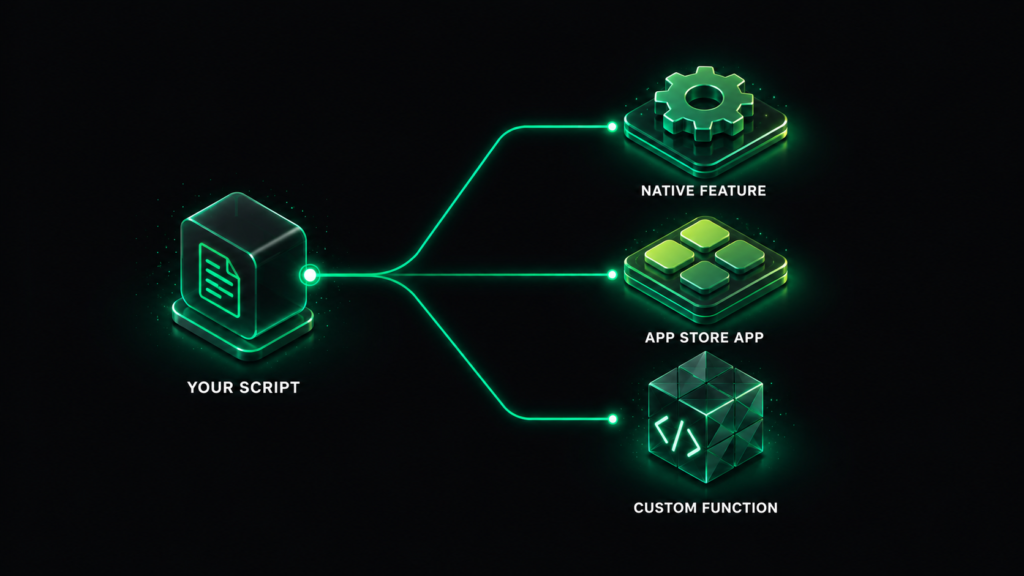
Native Shopify feature. Some things Scripts did are now built in. Shopify’s automatic discounts already cover many basic percentage off and BOGO scenarios with no code at all. Check here first for your simple cases.
App Store app. For common patterns like tiered discounts, free gifts, volume breaks, or shipping rules, a public app built on Functions can replace the Script with little or no code. This is the fastest route for most standard logic.
Custom Function. For complex, store specific logic that no app covers, you build a Function yourself or hire a team to do it. This means scaffolding an app with the Shopify CLI, writing the query that pulls your cart data, writing the logic, deploying it, and activating it in your admin. It is more involved than the old Script Editor, but it is also the last migration you will do for checkout logic for a long time.
A useful rule: if you have ten Scripts, you will likely end up with three to five Functions, because several Scripts often collapse into one cleaner Function.
Step 4: Rebuild the logic, do not just translate it
This is where teams get burned. A Function is not a one to one port of a Script. Map the business intent first, then express it cleanly. Watch out for one specific behavior change: because Functions run in isolation, discount stacking can behave differently than it did under Scripts, which had fuller cart control. Plan for that, especially if you stack multiple promotions.
Step 5: Test safely in parallel
You do not have to choose between testing and keeping your store live. Build and test in a development store first. Then, to test in production without affecting real shoppers, gate your new Function behind a customer tag (for example, tag a few test accounts as TESTER and have the Function only apply to them). Run real test orders for every edge case you documented in your audit, and compare the Function output against your existing Script output to catch any drift.
Step 6: Cut over and switch off the old Scripts
Roll out one category at a time, for example all shipping logic first, then discounts, then payments. As each Function proves out, disable the matching Script. Disable, do not delete, so you can reactivate quickly if something looks off. Avoid running a Script and a Function that do the same job at once, because that can produce unpredictable results at checkout.
Step 7: Monitor after launch
What if you cannot finish before June 30?
Be honest about the timeline and triage hard. A complex setup can take four to eight weeks to do properly, and you may not have that. So protect what matters most.
Start with your High tagged, revenue critical Scripts. A single broken discount or a payment gate that suddenly disappears can cost real money on day one. Use native discounts and Functions based apps to cover those quickly, even if your edge case logic is not perfect yet. Get the basics holding, then refine.
For everything else, a partial migration beats no migration. The wall is real and the date will not move, so anything you can shift off Scripts before June 30 is checkout you have protected. If you are staring down a dozen Scripts with days to go, this is exactly the moment to bring in a team that has done this before rather than learning the Shopify CLI under deadline pressure.
How long does a Shopify Scripts to Functions migration take?
It depends on how many Scripts you run and how complex they are. A store with one or two simple discount Scripts can often be done in a few days. A store running five or more Scripts with custom conditions, tiered pricing, B2B payment rules, or region based shipping should budget two to four weeks to cover the audit, rebuild, testing, and rollback planning. The most complex Plus setups can run longer.
Do not gamble your checkout on a deadline
Your checkout is the most expensive place on your store to have a bug, and June 30 is not a suggestion. If your Scripts were written by a developer, assume you will need at least some technical help to mirror them correctly with Functions.
At Kavcom Expert, this is exactly the kind of high stakes, hard deadline migration our Shopify team handles. We audit every active Script, map each one to the right replacement, rebuild and test the logic in a safe environment, and cut over without taking your checkout down. Whether you are running one Script or a dozen, we can get you across the line before the wall hits.
Want it handled before June 30? Get in touch with our team and we will map your Scripts to a migration plan this week.
Frequently asked questions
When exactly do Shopify Scripts stop working? Shopify Scripts stop executing on June 30, 2026. The Script Editor was already locked on April 15, 2026, so existing Scripts still run until the deadline but can no longer be edited.
Do I need a developer to migrate from Scripts to Functions? Not always. Simple discount and shipping logic can often be replaced with a native Shopify feature or a Functions based app from the App Store, with no code. Complex, store specific logic usually needs a developer or an agency to build a custom Function.
Will my checkout break if I do nothing? Yes. After June 30, 2026, any customization still running on a Script stops working, and the affected carts revert to standard pricing, standard shipping, and default payment options.
Can Shopify Scripts and Functions run at the same time? Yes, during the transition they can coexist. Just avoid running a Script and a Function that do the same job at once, because duplicate logic can cause unpredictable checkout behavior.
Is this the same as the checkout.liquid or Checkout Extensibility deadline? No. The Scripts to Functions migration is a separate track with its own June 30, 2026 deadline. Checkout Extensibility replaced the old checkout.liquid and Additional Scripts and had different dates. Treat them as two separate projects.
How much does a Shopify Scripts to Functions migration cost? It scales with the number and complexity of your Scripts. A couple of simple Scripts are a small job, while a dozen interlocking Plus customizations are a larger one. The cheapest version is the one you start early, because rushed migrations during peak season are where stores lose money.
Sources for the technical details in this guide: Shopify’s official help documentation on transitioning from Scripts to Functions and the Shopify developer migration docs. Always confirm feature availability and dates in your own Shopify admin.